TCL air conditioner remote control guide: functions, buttons and how to use it
Learn what each button on the TCL air conditioner remote control does, how to set it to cool, use Turbo, Sleep, Swing, Timer, and save energy.
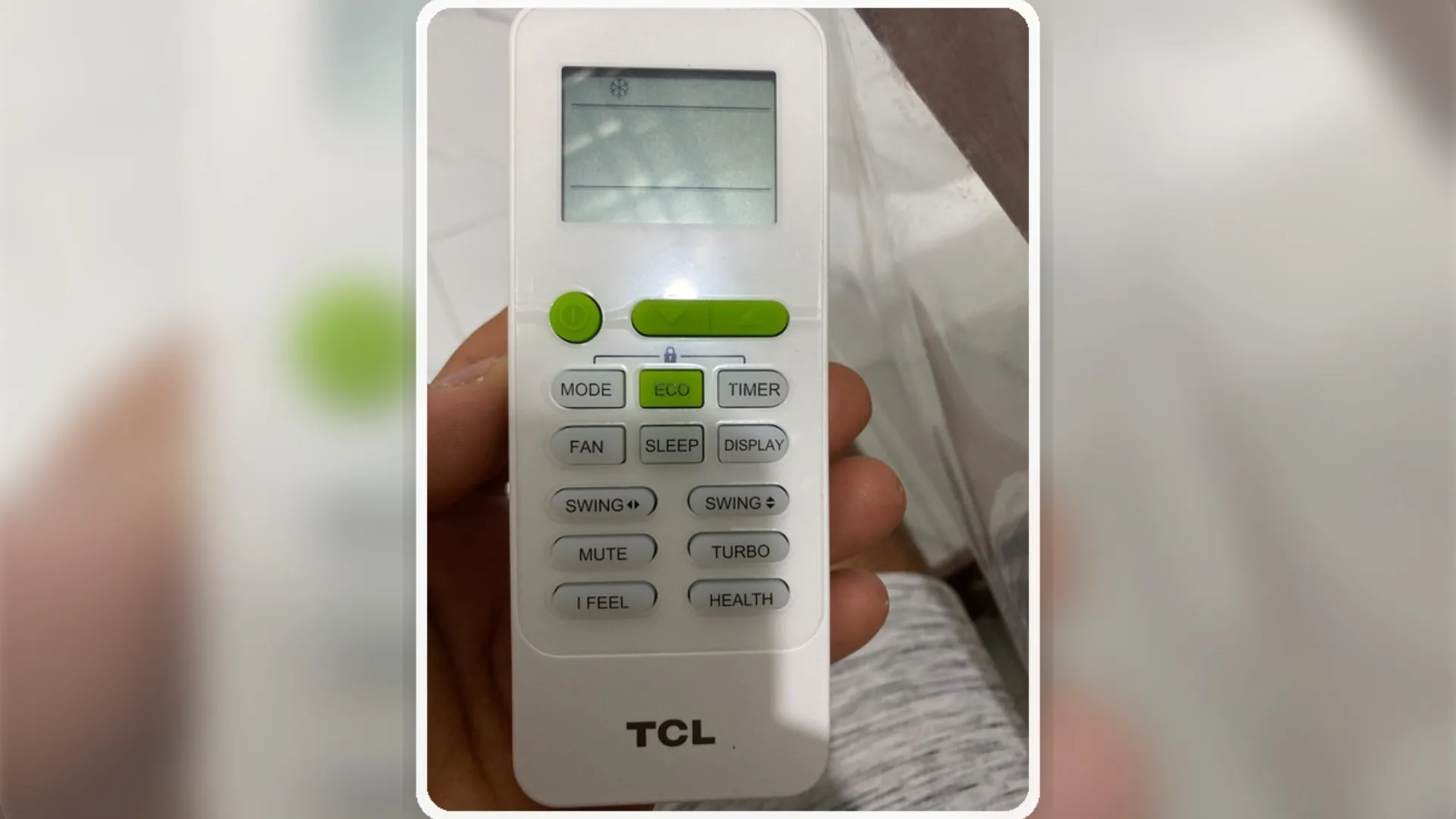
Knowing how to properly use your TCL air conditioner's remote control not only improves cooling but also helps save energy and extend the unit's lifespan. Many people turn on the air conditioner and simply lower the temperature, but each button has a specific function that affects performance, energy consumption, and comfort in your home.
- MODE: Changes the operating mode. It typically includes Cool for cooling, Dry for dehumidifying, Fan for ventilation, and Auto for automatic adjustment.
- FAN: regulates the fan speed. Higher speed moves more air, but may generate more noise and slightly higher power consumption.
- ECO: reduces electricity consumption while maintaining more efficient operation.
- TURBO: makes the air work at maximum power to cool faster, but also increases energy consumption.
- SLEEP: Ideal for sleeping, because it reduces noise and gradually adjusts the temperature for greater comfort.
- TIMER: program the on or off time.
- SWING: Move the fins to better distribute the air.
- DISPLAY: In some models, it turns the light or visible information of the indoor unit on or off.
- I FEEL: the control detects the temperature near where it is and adjusts the cooling according to that zone.
- HEALTH: In some models, it activates cleaning, ionization, or purification functions.
An important point about energy consumption: setting the temperature too low, such as 16°C or 17°C, doesn't always result in better cooling; it actually forces the compressor to work longer and harder, increasing electricity consumption. In many cases, a temperature between 23°C and 25°C offers good comfort and lower energy costs.
How to use it correctly for proper cooling:
- Turn it on with the green button.
- Press MODE until you see the snowflake symbol.
- Lower the temperature using the arrows.
- Use FAN or TURBO to cool faster.
- Activate SWING to better distribute the air.
Helpful tips:
- Don't always set the temperature to the minimum.
- Turbo cools faster, but consumes more energy.
- Eco saves energy, but may take longer to cool down.
- Sleep is perfect for nighttime.
- I Feel improves comfort if the control is close to you.
Knowing each function of the TCL control allows you to cool better, use less electricity and get the most out of your air conditioner.